
Why Does the Camera App Freeze Only on the iPhone 14 Pro Max?
Discover the specific hardware thermal throttling limits of the iPhone 14 Pro Max sensor and how to configure your device to prevent freezing during critical shots.

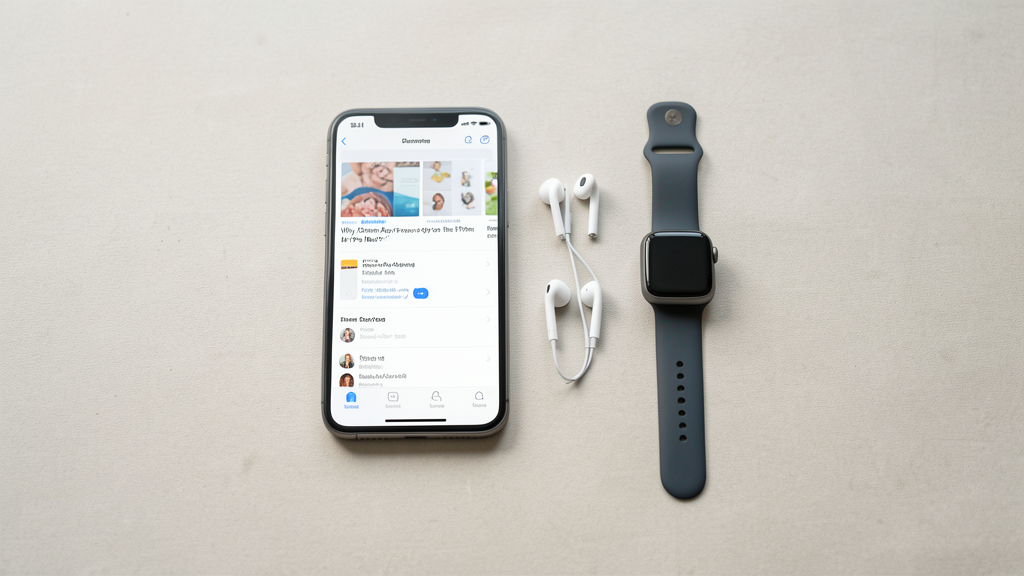
It is a specific, frustrating scene: you are framing a perfect shot on your iPhone 14 Pro Max. The light is fading, you need to capture the moment, and suddenly, the viewfinder stutters. You try to tap the shutter, but the interface is unresponsive. The app hangs, the screen might dim, or you are unceremoniously kicked out to the home screen. You wait, open the app again, and it works fine for two minutes before freezing once more.
This is not a generic software bug; it is the symptom of a physical bottleneck. While many users immediately blame iOS or the camera software, the issue on the 14 Pro Max is almost exclusively a hardware-specific thermal event affecting the image sensor and the ISP (Image Signal Processor). In 2026, even with several iOS updates behind us, this device remains prone to thermal throttling because of its specific chassis design and the sheer data throughput of its 48MP sensor.
The Hardware Reality: A16 Bionic vs. Passive Cooling
The iPhone 14 Pro Max introduced the 48MP main camera, a massive leap from the 12MP sensors of previous generations. To process this amount of data, Apple paired the sensor with the A16 Bionic chip. However, the A16 generates significant heat when performing the complex demosaicing algorithms required to turn 48MP raw data into usable photos or to process 4K ProRes video.
Unlike a desktop computer or even a thick gaming laptop, the iPhone lacks active cooling. There are no fans. It relies entirely on the metal chassis to dissipate heat passively. The 14 Pro Max specifically utilizes a stainless steel band. While durable and premium, stainless steel is thermally conductive but lacks the heat-dissipation efficiency of the titanium used in the 15 and 16 Pro models. It holds heat closer to the internal components longer.
When you shoot video or high-resolution stills in burst mode, the sensor and the processor work in tandem. If the ambient temperature is above 25°C (77°F) or if the phone is in direct sunlight, the heat generated by the A16 has nowhere to go. The thermal management system intervenes to protect the battery and silicon, forcing the camera hardware to downscale performance or shut down temporarily. This is the freeze you experience.
Diagnosing Sensor-Induced Throttling
Before adjusting settings, you must confirm that the freeze is thermal and not storage or memory-related. If your camera freezes immediately upon opening, it is likely a software crash or cache corruption. However, if the freeze occurs after 3 to 5 minutes of continuous use, specifically during high-intensity tasks like 4K60fps recording or Night Mode processing, it is thermal throttling.
A telltale sign of this specific diagnosis is the recovery behavior. If you close the Camera app and leave the phone locked for 5 to 10 minutes, allowing it to cool down, the camera will function perfectly again—until the heat threshold is reached. This cyclical behavior rules out permanent hardware damage.
Sometimes, other apps contribute to the baseline temperature. For instance, if you are running a GPS navigation app in the background while attempting to take photos, the SoC (System on Chip) is already under load. You might notice similar instability in other heavy apps, such as How I Fixed a "Stuck on Loading" Issue in Google Drive Without Reinstall, where high processor usage masks itself as a loading error. In the case of the camera, the load is purely visual and thermal.
Configuration Changes to Reduce Thermal Load
Since we cannot retrofit a fan into the iPhone 14 Pro Max, we must reduce the data processing load to keep the temperature below the throttling threshold. This requires sacrificing some image quality to gain reliability.
Disable High-Efficiency HEIF Max: The default settings on the iPhone 14 Pro Max favor high-resolution capture. Go to Settings > Camera > Formats and ensure you are not using "High Efficiency" at the maximum resolution if you are experiencing freezes. Switching to "Most Compatible" (JPEG) can sometimes reduce the processing overhead, although the file sizes are larger. More effectively, toggle off "ProRAW" or "ProRes" capture if you have it enabled. ProRes video is a major heat generator.
Lock the Frame Rate: Go to Settings > Camera > Record Video and turn off "Auto FPS." When Auto FPS is enabled, the phone dynamically adjusts the frame rate to save battery, which actually causes the processor to work harder analyzing the scene for lighting changes. Manually setting it to 30 fps reduces the variable workload.
Limit Video Resolution: If you do not strictly need 4K, lock video recording to 1080p at 30 fps. The difference in data throughput is massive. Shooting 4K at 60fps reads the sensor continuously at a rate that maxes out the thermal dissipation capacity of the stainless steel chassis within minutes.
A common misconception is that force-quitting background apps keeps the phone cooler. This is often counterproductive. The OS is designed to freeze apps in memory; force-closing them means the CPU must expend energy and heat to reload them from storage the next time you open them. Understanding Does Closing Background Apps Really Save Battery Life on Android? (which applies to iOS logic as well) reveals that managing your active usage patterns is more effective than clearing the app switcher.
The Stainless Steel Retention Problem
It is vital to understand that the iPhone 14 Pro Max is physically disadvantaged compared to its successors. The shift to titanium in the iPhone 15 Pro and 16 Pro was not merely cosmetic; it was a thermal necessity. Titanium has lower thermal conductivity than steel, which sounds like a downside, but it allows the device to shed heat into the air faster rather than trapping it against the frame where it cooks the internals.
For 14 Pro Max users, this means case management is critical. Many thick, rubberized cases act as insulators, trapping the heat that the steel band is trying to release. If you are shooting outdoors, removing the case is the most immediate way to extend your shooting time. Conversely, magnetic MagSafe wallets attached to the back act as thermal blankets, insulating the battery and processor. If your camera is freezing, take the wallet off.
Verification Protocol for Thermal Stability
You cannot rely on feeling the back of the phone to judge if it is overheating; by the time the device feels hot to the touch, the internal logic boards have already exceeded their safe operating temperature. You need a functional test to verify if your configuration changes have resolved the freezing issue.
The 7-Minute Stress Test:
- Remove any MagSafe accessories and, if possible, the phone case.
- Open the Camera app.
- Switch to 4K video at 30fps (or your newly lowered setting).
- Start recording and keep the camera active. Do not lock the screen.
- While recording, switch between the main lens (1x), the ultra-wide (0.5x), and the telephoto (3x) every 60 seconds. This forces the camera to recalibrate its focus and stabilize the image, increasing the processor load.
- Continue this until the timer hits 7 minutes.
Result Analysis:
- Pass: The video records smoothly. Switching lenses takes less than 1 second. There is no UI lag. The recording completes successfully.
- Fail: The recording stops automatically, the viewfinder freezes, or the phone displays a temperature warning icon.
If the test passes, your configuration is stable. If it fails, you must lower the resolution further or avoid shooting in direct sunlight until you can upgrade to a device with better thermal management, such as the 16 Pro. This isn't a software glitch you can wait out; it is the physical limit of your device.
The Long-Term Reality
The freezing issue on the iPhone 14 Pro Max is a permanent characteristic of the device's engineering. We asked for a professional-grade camera in a glass and metal slab, and physics eventually pushes back. By lowering the resolution and removing insulating accessories, you are essentially creating a safer thermal envelope for the phone to operate within. It is a trade-off between the maximum theoretical quality of the sensor and the practical reliability of the hardware. In the troubleshooting world, we call this "working within spec"—accepting that the machine has limits, and configuring our workflow to respect them.
Read next

Why Swiping Away Android Apps Is a Battery Waste of Time
Stop swiping your recent apps closed; modern Android memory management is designed to freeze processes, and force-quitting them forces energy-intensive restarts that drain your battery faster.

Rescuing 80GB of Offline Data: How I Fixed Google Drive's Loading Loop
I fixed a persistent loading loop in Google Drive by surgically removing corrupted cache files, saving 80GB of offline work data from a forced redownload.