
The Technical Reality of iMessage's Undo Send Window
Understanding the strict 2-minute server-side window and what actually happens to the packet when you trigger an iMessage retraction.


We have all been there. You fire off a snarky comment about your boss to a coworker, only to realize you selected the group chat containing said boss. Panic sets in. Your thumb hovers over the screen. You tap "Undo Send." The message vanishes. Relief washes over you.
But as a Lead Configuration Analyst, I need to burst that bubble: relief is often a false sense of security. Most users misunderstand what "Undo Send" actually does on a technical level. It is not a time machine. It does not travel back in time to stop the photons from hitting their retinas. It is a race against a server-side clock, and the mechanics are far less magical than Apple’s marketing suggests.
The Two-Minute Hard Stop
Since iOS 16, iMessage has allowed users to unsend messages, but Apple imposed a strict constraint: you have exactly 120 seconds. While two minutes feels generous while typing, in network terms, it is an eternity.
The clock starts the moment the payload leaves your device and hits Apple’s incoming servers. If you attempt to retract a message at 121 seconds, the API returns an error, and the message remains permanently etched in the chat history. There is no grace period here. The server checks the timestamp of the message creation against the timestamp of the retraction request. If the delta exceeds 120,000 milliseconds, the request is denied.
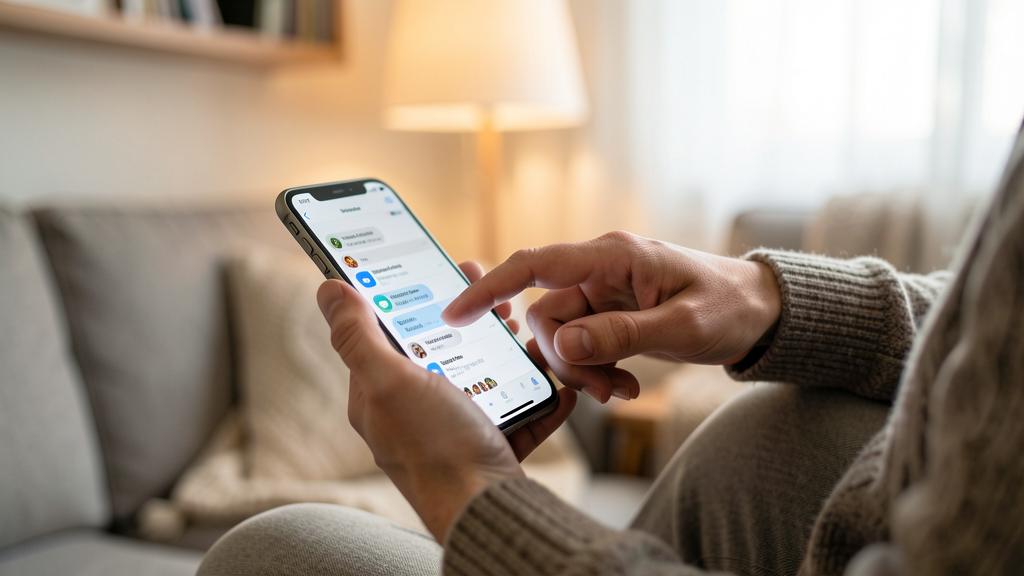
This rigid window exists because Apple balances user control against database integrity. Keeping deletion requests open indefinitely would require immense database resources to constantly rewrite chat logs across millions of devices indefinitely. By capping it at two minutes, they limit the window for potential synchronization conflicts.
Server-Side Logic vs. Local Deletion
Here is where the confusion usually lies. When you tap "Undo Send," your device does not reach into the recipient's phone and remotely delete the file. Instead, your iPhone sends a command to Apple’s servers to flag that specific message ID for deletion.
If the recipient is using an iMessage-compatible device running a relatively recent OS, their phone polls the server, sees the flag, and removes the message from the local SQLite database. However, this process relies on a constant internet connection.
Consider a scenario where your recipient has enabled Low Data Mode or is in a cellular dead zone. You send the message, realize the error, and hit undo within 30 seconds. The message disappears from your screen. Their phone, however, received the original payload before the retraction command arrived. The message sits on their device, unread, until they regain connectivity. Depending on how their OS handles the sync queue, they might see the message for a brief moment when they reconnect before the "delete" command catches up, or worse, the sync might fail entirely, leaving the message visible.
This behavior is distinct from platforms like Signal, where the protocol prioritizes metadata deletion more aggressively. iMessage is, fundamentally, a consumer-first convenience tool, not a military-grade encryption utility.
The "Read Receipt" Paradox
The biggest misunderstanding involves the "Read" receipt. If the recipient has "Send Read Receipts" enabled, and that status changes from "Delivered" to "Read" before you press undo, the game is already over.
Technically, you can still unsend the message—the bubble will disappear from the transcript—but you cannot unread the data. The human brain has already processed the text. I have seen users believe that hitting "Undo Send" wipes the memory of the person on the other end. It does not.
Furthermore, if the recipient is looking at the chat as the message retracts, they might see it vanish in real-time. This is a dead giveaway that something was sent and removed. While they might not know the exact content, the act of deletion itself creates suspicion and social friction. Managing this anxiety is why many people resort to extreme measures, such as muting WhatsApp groups for a week to avoid the pressure of immediate responses.
There is also the issue of legacy devices. If you send a message to someone using a Mac from 2018 running an outdated OS version, or an Android user (receiving via SMS fallback), the "Undo Send" feature simply fails to work on their end. You might see the bubble disappear on your iPhone, but the text remains permanently on their device because their client does not support the retraction protocol.
How to Verify the Retraction Worked
Given these variables, you must verify the setting is active on your device and understand the visual cues. Since retraction is a synchronous action that requires immediate network feedback, you should confirm the message bubble has completely vanished from the thread history without leaving a "This message was unsent" placeholder.
Step 1: Check the Interface After tapping "Undo Send," look at the chat transcript. The text bubble should disappear instantly. You should see a small "You unsent a message" note in the system log (tiny grey text) only on your device, confirming the command was sent.
Step 2: The Sync Test To ensure the feature is functioning correctly for your configuration, send a test message to a secondary Apple ID you own. Send a random emoji, wait five seconds, and tap Undo. Immediately switch to the secondary device. The message should not appear. If it does appear and then disappears, you are witnessing a sync delay, which confirms the server-behavior risk discussed earlier.
The New Norm of Digital Impermanence
The real takeaway here is not about the mechanics of the API, but about the behavioral change it induces. Features like "Undo Send" encourage a culture of rapid, unfiltered communication under the safety net of a delete button. We type faster, care less, and rely on technology to clean up our social messes.
But as we move deeper into 2026, relying on a two-minute window is a bad habit. The technical reality is that once data traverses the network, you have lost control of it. Whether it is a server log, a notification on a lock screen, or a screenshot taken before your thumb hit the button, the digital footprint is rarely fully erased. The best configuration is not a faster undo button, but a pause before you hit send.
Read next

I Muted WhatsApp Groups for a Week and My Anxiety Dropped
A one-week experiment with 'Always Mute' settings revealed that silencing the chatter of family and work groups was the only way to reclaim my focus and lower my baseline stress.
Signal vs. WhatsApp: Why You Should Switch for Group Chats
Stop leaking your social graph to advertisers by moving your communities to Signal, where encryption safety and metadata retention are handled correctly.